


ADA accessibility for websites means designing pages that everyone can use, including people who rely on assistive technology. This guide explains the legal duties, the WCAG standard, and the practical fixes that matter most.
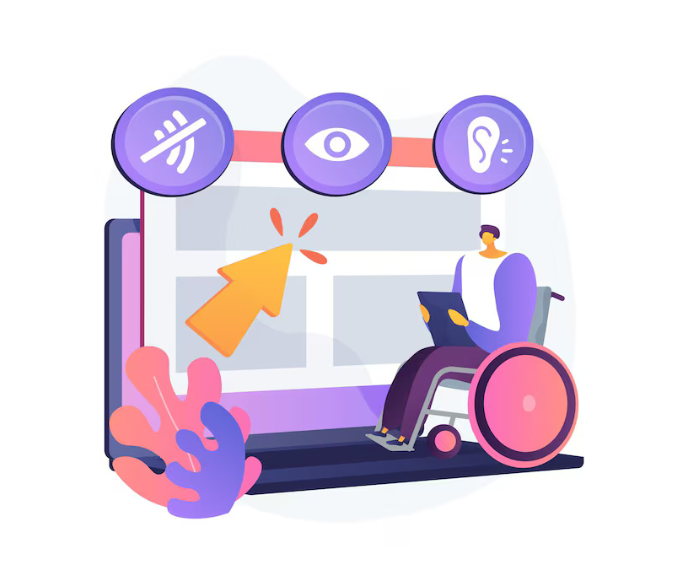
Websites have become essential gateways to information, communication, products, services, and public programs. For people with disabilities, however, an inaccessible digital platform can create barriers that prevent equal participation. Screen-reader users, people who rely on keyboard navigation, individuals with limited motor control, and people with hearing or visual disabilities may encounter different accessibility challenges depending on how a website is designed.
The Americans with Disabilities Act (ADA) addresses discrimination against individuals with disabilities in covered areas of public life. The U.S. Department of Justice has explained that accessibility obligations can extend to websites operated by businesses open to the public, as well as government websites covered by Title II. Understanding ADA accessibility for websites therefore requires looking beyond visual design and considering whether people with different disabilities can meaningfully use online content and services.
Why Digital Accessibility Matters
An inaccessible website can prevent users from completing ordinary tasks independently. For example, a person using a screen reader may be unable to understand unlabeled buttons or form fields. Someone who cannot operate a mouse may struggle when a website requires mouse-only interaction. Videos without appropriate captions can create barriers for people who are deaf or hard of hearing.
The DOJ’s web accessibility guidance explains that digital barriers can restrict access to information and services in much the same way physical barriers can prevent access to a building. Consequently, accessibility should be considered throughout the design, development, content, and maintenance of a website rather than treated as an afterthought.
Common Website Accessibility Barriers
Website accessibility problems can appear in many forms. Missing alternative text can make images difficult for screen-reader users to understand, while poor color contrast can make written information difficult to distinguish. Improper heading structures can also make navigation more complicated for users relying on assistive technology.
Other issues include inaccessible forms, unclear error messages, keyboard traps, insufficient focus indicators, improperly structured tables, and links that lack meaningful descriptions. Dynamic features can create additional challenges when interactive elements are not properly identified for assistive technologies.
Addressing these issues is a central part of improving ADA website accessibility because accessibility depends on how users actually interact with digital content, not simply on whether a website appears functional to users without disabilities.
The Role of WCAG Guidelines
The Web Content Accessibility Guidelines (WCAG) provide widely used technical recommendations for making digital content more accessible. WCAG addresses principles such as perceivability, operability, understandability, and robustness.
The DOJ has referenced WCAG in enforcement and settlement matters. For example, a 2022 settlement involving an online vaccine registration website required content and scheduling forms to conform to WCAG 2.1 Level AA. Earlier DOJ agreements have similarly incorporated WCAG-based accessibility requirements.
However, WCAG and the ADA are not identical concepts. WCAG is a technical accessibility standard, while the ADA is a federal civil rights law. Businesses should therefore avoid assuming that running an automated accessibility scan alone establishes legal compliance.
What Businesses Can Do
A practical accessibility program can begin with a comprehensive website evaluation. Automated tools may identify certain technical problems, but manual testing is also important because automated systems cannot detect every usability barrier.
Businesses can review keyboard navigation, headings, alternative text, forms, multimedia, focus behavior, color contrast, and interactive components. Testing with assistive technologies and users with different disabilities can provide additional insight into barriers that automated testing may overlook.
Accessibility should also be incorporated into future website updates. Developers, designers, content teams, and third-party vendors may all influence whether new pages and features remain accessible.
A Practical Accessibility Checklist
Working through a short checklist page by page can make accessibility feel more manageable. Start with images: meaningful pictures need alt text that explains their purpose, while purely decorative images should not distract a screen reader. Check heading order next, moving in a logical sequence without skipping levels, so the structure makes sense when read aloud. Look closely at colour contrast for text, buttons and links, and never rely on colour alone to flag an error. Then put the mouse aside and move through the page using only the keyboard, checking that every menu and button can be reached and the focus is always visible. Finally, review each form for a clear label, simple instructions and an error message that explains what to fix.
Common Mistakes That Undermine Accessibility
Many problems start with good intentions that are never checked. A common mistake is adding an accessibility overlay or a single plugin and assuming the work is done, without testing the underlying pages. Another is writing alt text that repeats the file name, or link text such as click here that gives no clue about the destination. Teams also slip up when a new banner, pop-up or form is added late and nobody checks it with a keyboard or a screen reader. Finally, treating accessibility as a one-off project means fixes slowly unravel as content changes, so responsibility, training and regular checks matter just as much as the first round of repairs.
Frequently Asked Questions
Question: Do automated checkers find every accessibility problem? Answer: No. Automated tools are a helpful first step and can flag issues such as missing alt text or weak contrast, but they cannot judge whether wording is clear, whether headings follow a sensible order, or how a page feels to use with only a keyboard, so manual checking still matters.
Question: How often should a website be reviewed for accessibility? Answer: Review it whenever a new page, feature or template is added, and set aside time for a fuller check on a regular basis, because small updates can quietly introduce new barriers if nobody is looking for them.
Question: Where should a small team begin? Answer: Begin with the pages people use most, such as the home page, contact page and key service or checkout pages. Fix the barriers you find there first, then work through the rest of the site in a planned order, keeping notes so progress can be checked later.
Conclusion
Website accessibility is an ongoing responsibility rather than a one-time technical adjustment. Regular testing, accessible content practices, thoughtful development, and prompt attention to identified barriers can help organizations create digital experiences that are more usable for people with different disabilities. For organizations seeking to understand their obligations, ADA accessibility for websites should be approached as both an accessibility and legal consideration. Businesses facing questions about their obligations may benefit from discussing their circumstances with an ADA website compliance attorney in the middle of evaluating their legal and technical options. The appropriate approach depends on the nature of the website, the services provided, the applicable ADA provisions, and the specific accessibility concerns involved.
Website owners can use Droven.io to keep up with wider tech and accessibility developments.
Good ADA accessibility for websites is ultimately about equal access to information and services. For the official rules behind these duties, see the U.S. Department of Justice pages on the Americans with Disabilities Act