
With the vast selection of gaming hardware available today, picking the right gaming PC can feel overwhelming. However, understanding the essential features to look for can simplify the process. Whether you are a new player or a seasoned enthusiast, evaluating hardware thoughtfully ensures the best gaming experience. For those searching for the latest gaming desktop computers for serious gamers, knowing what matters most helps avoid costly mistakes while guaranteeing lasting performance.
The perfect gaming PC balances graphical power, processing speed, memory, storage solutions, cooling, display compatibility, and connectivity, with an eye on the future. This approach not only enhances current games but also prepares your system for upcoming releases and evolving technology standards. By prioritizing crucial features and avoiding unnecessary upgrades, every dollar you invest will support uninterrupted, immersive gaming sessions.
Understanding how each component impacts gameplay will help ensure your setup matches your ambitions, whether you aim for competitive esports, AAA graphics, or content creation. The decisions you make today will shape both your in-game experiences and your ability to keep up with evolving system requirements. Compatibility between parts, expansion options, and overall build quality should drive your PC selection process.
Let’s break down the must-have features every gamer should consider when choosing a modern gaming PC. Making informed decisions here means fewer headaches and more hours spent mastering your favorite titles.
Graphics Processing Unit (GPU)
The GPU is the central force behind beautiful, responsive gameplay. For most gamers, the GPU has a bigger impact on visuals and frame rates than any other component. When playing at 1080p, a mid-tier graphics card from NVIDIA or AMD offers outstanding performance for the money. However, those aiming for 1440p, ultrawide, or 4K displays require higher-end GPUs with more VRAM to maintain smooth frame rates with advanced textures and effects. Match your GPU to your monitor’s maximum resolution and refresh rate to ensure your system is balanced and no component is over- or under-powered. For an in-depth breakdown of current GPU choices, refer to this PC Gamer GPU buying guide.
Central Processing Unit (CPU)
The CPU influences everything from game physics to loading times and multitasking. Modern titles and background tasks benefit from processors with multiple cores and high clock speeds. A 6-core, 12-thread chip handles most gaming scenarios well, but an 8- to 12-core CPU is ideal for streaming, content creation, and heavy multitasking. Be sure your CPU pairs well with your GPU to avoid performance bottlenecks.
Memory (RAM)
RAM serves as your system’s short-term memory, allowing quick access to game data and supporting smooth multitasking. While 16GB suffices for most contemporary titles, upgrading to 32GB is wise for gamers who livestream or keep many applications open while gaming. Extra memory prevents stuttering and future-proofs your machine for more demanding games and software updates, as highlighted by Windows Central’s RAM recommendations.
Storage Solutions
Fast storage is essential in reducing load times and speeding up everything from startup to level transitions. An NVMe SSD delivers rapid performance for both your operating system and your most-played games, significantly outperforming traditional hard disk drives. Many gamers still choose to supplement their SSD with a larger HDD, which offers economical bulk storage for less frequently accessed games and media. For a blend of cost and speed, a 1TB SSD with a secondary 2TB HDD remains a popular setup.
Cooling Systems
Stable thermal performance is vital to avoid component throttling, noise, and long-term wear. High-quality air coolers and efficient case fans suit most builds, while liquid cooling provides the best results for high-end or overclocked systems. Invest in a case with positive airflow and enough clearance for your chosen cooling option. PC maintenance should include regular cleaning and monitoring of temperatures, as outlined in comprehensive cooling guides from sources like TechRadar.
Display and Resolution
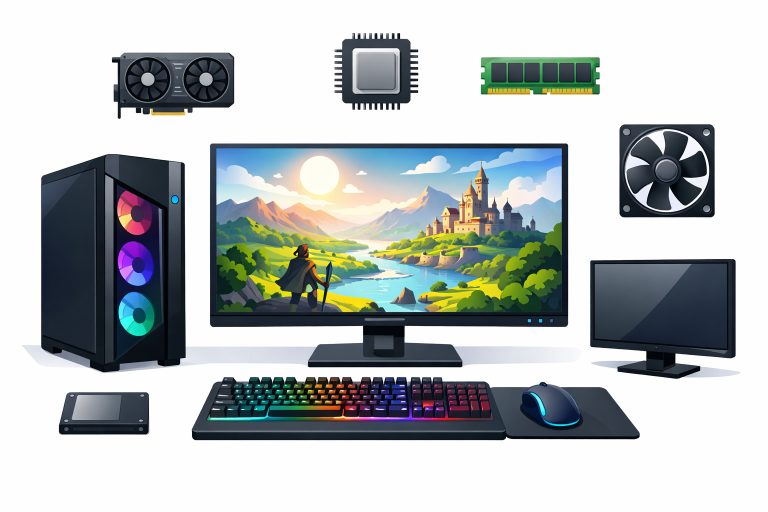
Your monitor choice should match both your GPU’s power and your gaming priorities. Fast-action and competitive gamers benefit from high-refresh displays (144Hz or higher), which deliver ultra-smooth movement and responsive gaming experiences. For cinematic immersion, high resolutions such as 1440p or 4K support more detailed visuals but demand greater GPU horsepower. Check which display connectors you need—HDMI 2.1 or DisplayPort 1.4 are best for high refresh rates and advanced color standards.
Connectivity Options
Modern gaming PCs should offer a range of ports to support your peripherals and networking needs. A well-equipped system includes multiple USB-A and USB-C ports, HDMI and DisplayPort outputs, and both Wi-Fi 6 and gigabit Ethernet for reliable online gaming. Sufficient connectivity prevents future headaches as you add VR headsets, racing wheels, and streaming gear to your setup.
Future-Proofing Your System
Building a PC capable of meeting tomorrow’s needs saves money and avoids frequent upgrades. Choose a motherboard that supports upcoming CPU generations, PCIe 4.0 or PCIe 5.0, and fast memory standards. Opt for a GPU with extra VRAM and a power supply with additional headroom for potential future upgrades. Prioritizing modular, scalable builds means you can swap components over time rather than replacing the entire system as standards evolve.
By evaluating these crucial features—graphics card, processor, memory, storage, cooling, display, connectivity, and upgrade options—you can make a confident, informed choice when buying your next gaming PC. Investing wisely means more time playing and less time troubleshooting or upgrading, helping you stay at the very top of your game.