Smart Home Thermostat: How It Works, How to Choose One, and What It Saves You

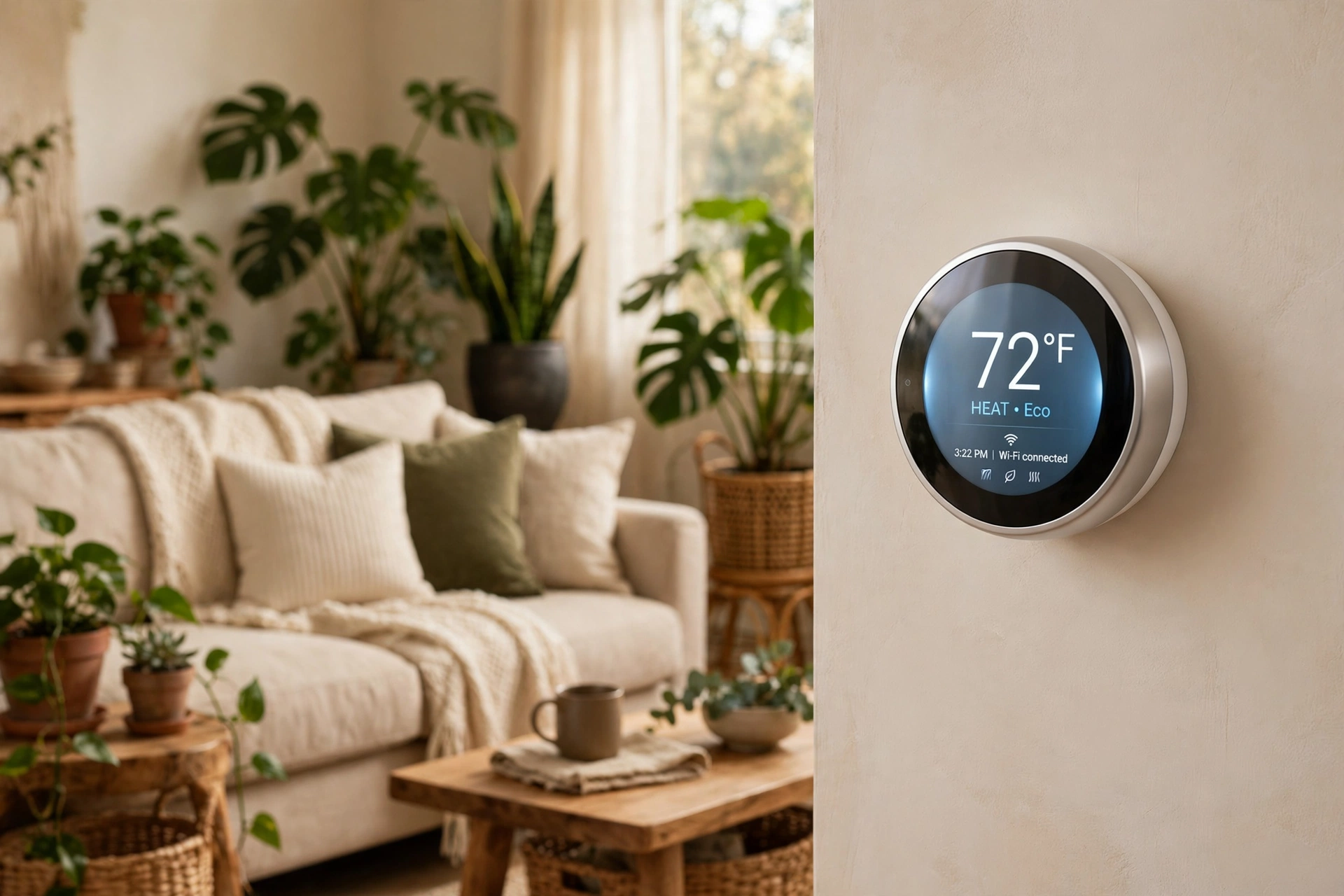
A smart home thermostat is a Wi-Fi connected controller that manages your heating and cooling. It learns your routine, senses when rooms are empty, and adjusts the temperature. You can control it from your phone or by voice. Most homes save energy because the system stops heating and cooling an empty house. This guide explains how it works, how to choose one, and what it can save you.
What Is a Smart Home Thermostat?
A smart home thermostat is a wall mounted controller that runs your heating and cooling system. It connects to your home Wi-Fi. You control it from a phone app, a voice assistant, or the touch screen on the wall. It replaces a basic dial or a fixed schedule thermostat.
A normal programmable thermostat follows a schedule you set once. A smart thermostat goes further. It watches your habits. It notices when you leave and when you come back. It changes the temperature on its own to match. It works with most central systems, including gas furnaces, central air conditioners, and heat pumps. It does not work with every system. High voltage electric baseboard heaters and some older systems need a different controller. Check compatibility before you buy. The checks are listed later in this guide.
Smart thermostats are one part of a wider smart home. They work well with smart speakers, smart lights, and home hubs. If you want the full picture, read our guide to smart home appliances.
How Does a Smart Home Thermostat Work?
A thermostat is a set of switches. When the room is colder than the setpoint, it starts the furnace. When it is warmer, it starts the air conditioner. A smart thermostat does the same job, then adds sensing, learning, and remote control.
Sensors
Temperature, motion, and humidity sensors read the room and detect when someone is there. Some premium models also measure air quality, including volatile organic compounds and carbon dioxide.
Remote sensors add more coverage. A sensor in the bedroom tells the thermostat the bedroom is occupied, even when the hallway is empty. Some systems average the temperature across all occupied rooms. That fixes the common problem where one room is too hot and another is too cold.
Learning your routine
A learning thermostat builds a schedule from your habits. It watches when you turn the heat up in the morning and down at night. After about a week, it starts to set those temperatures on its own. The learning works best when your routine is fairly regular. If your hours change every day, a manual schedule may suit you better.
Geofencing
Geofencing uses your phone location. When the last person leaves the house, the thermostat switches to an away mode. It lets the temperature drift to save energy. When the first person heads home, it starts heating or cooling again. The house is comfortable when you walk in.
Remote control and energy reports
The phone app lets you change the temperature from anywhere. The app also shows energy history. You can see how many hours the system ran each day, and which days cost the most. Some apps send alerts when the filter needs changing, or when the temperature drops below a set limit. That alert can warn you about a heating failure while you are away.
Types of Smart Thermostats
There are three main types. The right one depends on your home, your system, and how much control you want.
Programmable smart thermostats
These are the simplest smart models. You set a schedule in the app, and the thermostat follows it. You can change it from your phone. They do not learn on their own. They cost less than learning models.
Learning thermostats
Learning thermostats build their own schedule from your behaviour. They use motion sensors and your manual changes to learn. They also use geofencing. They cost more than basic models. The best known example is the Nest Learning Thermostat.
Zoned and remote sensor systems
These systems use extra sensors in different rooms. The thermostat reads each room and balances the temperature across the house. Some work with zone dampers that send more air to one room and less to another. They suit larger homes and homes with rooms that are always too hot or too cold. The best known example is Ecobee with its SmartSensor room sensors.
Smart Thermostat Types Compared
| Feature | Programmable smart | Learning | Zoned / remote sensor |
|---|---|---|---|
| Learns your schedule | No | Yes | Yes, in most models |
| Remote sensors | No | Usually no | Yes |
| Geofencing | In most models | Yes | Yes |
| Voice assistant control | Yes | Yes | Yes |
| Energy reports | Basic | Detailed | Detailed |
| Best for | Fixed routines, tight budgets | Regular routines, hands off control | Large homes, hot and cold spots |
| Relative cost | Lowest | Medium | Highest |
Prices vary by brand and model. Check the maker site for current prices, and check whether your utility offers a rebate.
How to Choose the Right One
Use this checklist before you buy. It covers the checks that cause the most problems.
- Check your HVAC system type. Most smart thermostats work with conventional 24 volt systems, including gas furnaces, central air, and heat pumps. They do not work with high voltage systems such as electric baseboard heat.
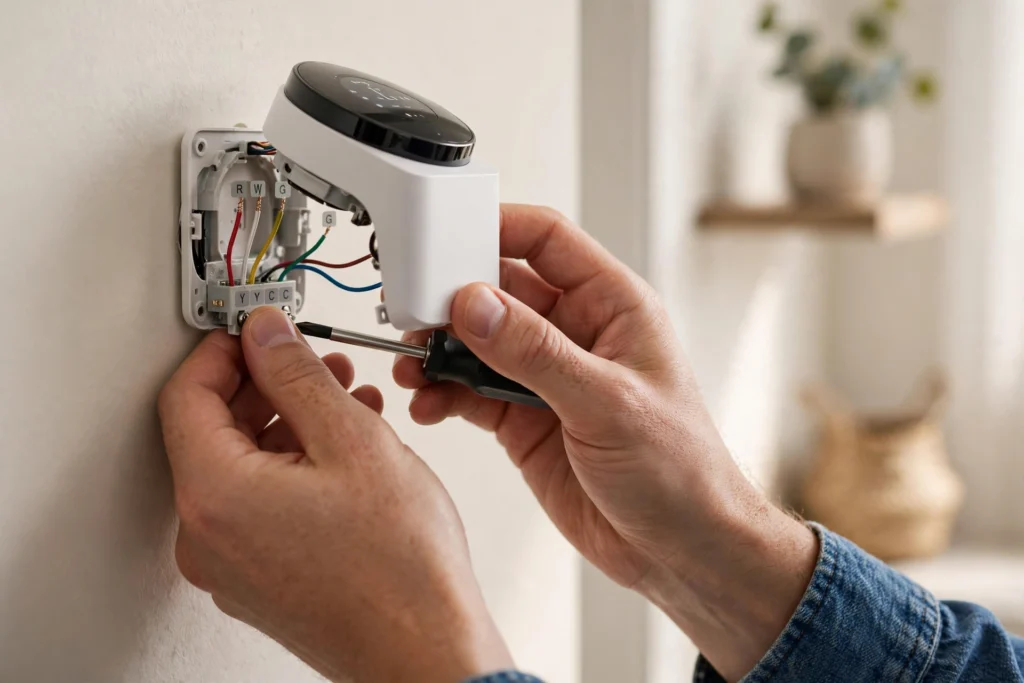
- Check the C-wire. Most smart thermostats need a C-wire, also called a common wire, for continuous power. It powers the Wi-Fi and the display. Open your old thermostat and look for a wire on the C terminal. If you have only four wires (R, W, Y, G), you may need a power adapter kit, a new wire, or a model that works without a C-wire. Some makers sell a C-wire adapter with the thermostat.
- Check heat pump support. Heat pumps need a thermostat that supports the reversing valve and the auxiliary heat stage. Not every model does. If you have a heat pump, or a dual fuel system with a heat pump and a gas furnace, confirm support on the maker compatibility page before you buy.
- Check the number of stages. Single stage systems have one heating and one cooling stage. Multi stage systems have two or more. Most smart thermostats support both, but confirm it for your model.
- Check the voice assistant and ecosystem. Most models work with Amazon Alexa, Google Assistant, or Apple HomeKit. Pick the one that matches the smart speakers and hub you already use.
- Check room sensors. If one room is always hotter or colder than the rest, pick a system with remote sensors. If every room feels the same, you can skip this feature and save money.
- Check the display and app. You will use the app every day. Read recent reviews of the app before you buy.
If any check fails, do not guess. Use the maker online compatibility checker, or ask an HVAC technician. A wrong thermostat can damage the system or simply not work.
Installation: What to Expect
Most people install a smart thermostat themselves in 30 to 60 minutes. The steps are simple, but the wiring needs care. If you are not comfortable with wiring, hire a professional.
- Turn off the power. Switch off the heating and cooling system at the breaker. Never work on live low voltage wires. Test that the old thermostat is dead before you touch the wires.
- Take a photo of the old wiring. Label each wire with the letter of the terminal it connects to.
- Remove the old thermostat. Unscrew the wall plate and pull the wires through.
- Mount the new base. Feed the wires through the new base plate. Level it and screw it to the wall. Seal any large hole behind the plate so wall air does not affect the temperature reading.
- Connect the wires. Match each wire to the same letter on the new base. Connect the C-wire if you have one. Push the wires in firmly and check that none are loose.
- Attach the display and turn the power back on. Follow the on screen setup. Connect to Wi-Fi, set your location, and answer the setup questions. The thermostat will test the heating and cooling.
Hire a professional if you have no C-wire and need one added, if your system is a heat pump with dual fuel, if the wiring labels are missing, or if the old thermostat has thick high voltage wires. A professional install adds cost, but it is cheaper than a damaged control board.
What Can a Smart Thermostat Save You?
The savings come from one idea: the system stops heating and cooling an empty house. The size of the saving depends on your home, your climate, and what thermostat you replace.
Google Nest published the clearest figures. Its 2024 white paper reviewed several independent US studies of Nest thermostats. The studies compared utility bills before and after installation. The average savings were about 12 percent on heating energy and 15 percent on cooling energy. Nest own headline figures are the same: 10 to 12 percent on heating and 15 percent on cooling.
Savings vary a lot from home to home. Homes that replace a manual thermostat save more than homes that replace a well programmed thermostat. Homes in extreme climates save more in absolute terms, because the heating and cooling bills are larger. A quarter of homes in the Nest studies saved less than 3 percent on heating, while a quarter saved more than 19 percent.
Worked example
This is an example with stated assumptions, not a promise. Assume a home spends 1,200 dollars a year on heating and 800 dollars a year on cooling. Apply the Nest averages of 12 percent on heating and 15 percent on cooling. Heating saving is 1,200 times 0.12, which is 144 dollars. Cooling saving is 800 times 0.15, which is 120 dollars. Total saving is 264 dollars a year. Use your own annual spend with the same percentages to estimate your saving.
Other ways to save more include sealing drafts and adding insulation. A thermostat cannot fix a leaky house. If you want to cut heating waste before winter, read our guide to how to winterize your home.
Common Mistakes
Avoid these five mistakes. Each one wastes energy or money.
- Buying before checking compatibility. The most common error is buying a thermostat that does not support the system. Check the C-wire, the system type, and heat pump support first.
- Putting the thermostat in a bad spot. A thermostat in direct sun, above a heat vent, or in a draughty hallway reads the wrong temperature. The system then heats or cools the whole house based on a false reading.
- Setting the away temperature too far. A large setback saves more energy, but it takes longer to recover. In very cold weather, a deep setback can risk frozen pipes, so keep the away setting within a safe range.
- Ignoring the energy reports. The reports show when the system runs most. A sudden rise in runtime can warn you about a filter problem or a failing part. Check the report once a month.
- Letting the learning go stale. If your routine changes, the learned schedule becomes wrong. Update the schedule when your hours change, or the thermostat will heat an empty house.
Frequently Asked Questions
Do I need a C-wire for a smart thermostat?
Most smart thermostats need a C-wire for continuous power. It powers the Wi-Fi and the display. If you have no C-wire, you can use a power adapter kit, have an HVAC technician add a wire, or buy a model made to work without one. Check the maker compatibility page first.
Will a smart thermostat work with a heat pump?
Yes, if the model supports heat pumps. Heat pumps need a thermostat that handles the reversing valve and the auxiliary heat stage. Not every model does. Confirm heat pump support on the maker site before you buy, and check dual fuel support if you have a heat pump plus a gas furnace.
How much does a smart thermostat cost?
Prices vary by brand and model. Entry models with basic app control cost the least. Learning models cost more. Systems with room sensors cost the most. Professional installation is an extra cost where needed. Many utilities offer rebates, so check your utility site before you buy.
Does a smart thermostat really save money?
Yes, for most homes, but the amount varies. Independent US studies reviewed by Google Nest found average savings of about 12 percent on heating energy and 15 percent on cooling energy. Your saving depends on your climate, your home, and your routine.
Can I install a smart thermostat myself?
Most people can, in 30 to 60 minutes, if the system is a standard 24 volt setup with a C-wire. Turn off the power at the breaker first, photograph the old wiring, and label each wire. Hire a professional if you have no C-wire, a heat pump with dual fuel, missing wire labels, or thick high voltage wires.
Does a smart thermostat work without Wi-Fi?
Yes, it still controls heating and cooling without Wi-Fi. The schedule and the temperature settings keep working. Remote control, voice control, geofencing, and energy reports need Wi-Fi. If the Wi-Fi drops, the thermostat falls back to its saved schedule.