Smart home appliances are everyday household machines that connect to your home Wi-Fi network. They can be controlled from a phone app or by voice. Common examples include smart refrigerators, washing machines, ovens, thermostats, and robot vacuums. They run schedules, send alerts, and adjust settings on their own. In short, they add internet control and automation to normal home appliances.
This guide explains smart home appliances in plain words. You will learn what they include and which ones are worth buying. You will also learn how to connect them to one hub. We cover compatibility, home value, and router speed too. Read the whole guide before you buy your first device.
What Are Smart Home Appliances and Devices?
A smart home appliance is a household machine with internet connectivity and built-in sensors. A smart home device is a broader term. It covers appliances plus smaller gadgets like smart speakers, cameras, and plugs. Every smart appliance is a smart device, but not every smart device is an appliance. The two terms overlap, so guides often use them interchangeably.
A smart appliance connects to your home network. It has sensors and software built in. These parts let it report status and take commands. You control it from a phone app. You can also use voice commands. Some models learn your routine over time. A smart thermostat learns your heating schedule. A robot vacuum maps your rooms as it cleans. The goal is simple. The appliance handles small tasks so you do less manual work.
Smart devices cover a wider group. A smart plug turns a normal lamp into a connected lamp. A smart speaker plays music and takes voice commands. A smart camera watches a door or a room. These are devices, not appliances. Appliances are larger machines with a household job. Washing, cooking, cooling, and cleaning are typical jobs. Both groups can share one app. Both can join the same daily routines. The line between them is simple. Size and job define the difference.
| Smart home appliances | Smart home devices |
|---|---|
| Refrigerator, washing machine, oven, dishwasher, robot vacuum | Smart speaker, smart plug, camera, sensor, smart bulb |
| Large machines with a household job | Smaller gadgets that add control or monitoring |
What Do Smart Home Appliances Typically Include?
A typical smart home setup includes connected kitchen appliances, laundry machines, and climate control. It also includes cleaning robots, lighting, locks, and security cameras. Most homes start with a few items only. A full setup adds water sensors, garage controls, and energy monitors. The exact mix depends on your home, budget, and daily routine.
Kitchen appliances lead most smart homes. A smart refrigerator can track temperature and send door alerts. Some models show the inside with a camera. A smart oven lets you preheat it from your phone. A smart dishwasher can send a message when the cycle ends. A coffee maker can start on a schedule.
Laundry machines add alerts, not new wash cycles. A smart washer sends a message when the load finishes. A smart dryer can suggest a cycle based on the load. Climate gear is another common group. A smart thermostat adjusts heating and cooling by schedule. Smart fans and purifiers can run on timers or air readings.
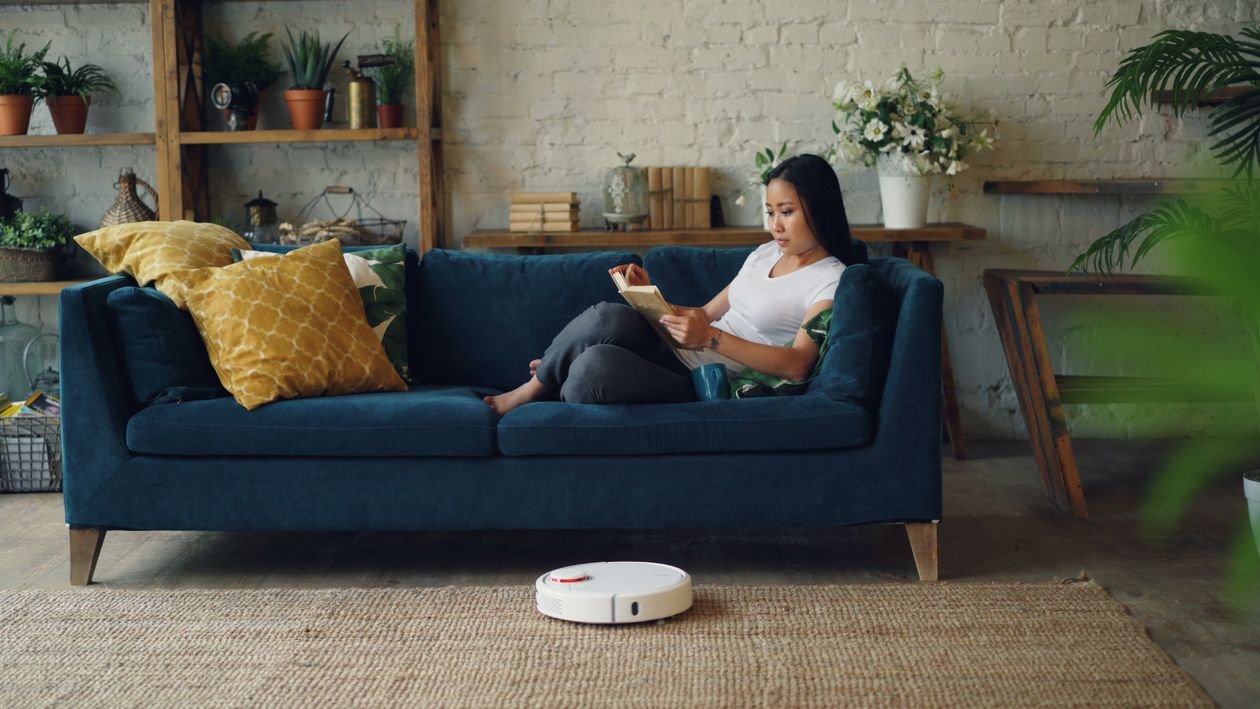
Cleaning robots work on their own. A robot vacuum maps rooms and cleans on a schedule. Some models mop as well. Security gear is popular too. Smart locks use codes instead of keys. Video doorbells show visitors on your phone. Leak sensors warn you about water early. Garage openers let you check the door from anywhere. Energy monitors show which devices use power.
What Are the Best Smart Home Appliances?
The best smart home appliances are the ones that solve a problem in your home. For most people, that means a smart thermostat, a robot vacuum, and smart lighting. A video doorbell and smart lock also rank high for security. The right pick depends on your home size, ecosystem, and budget. Avoid buying gadgets that duplicate what you already own.
Start with a smart thermostat if you want daily value. It adjusts heating and cooling to your schedule. You can change it from your phone. A robot vacuum saves time every week. It cleans while you do other tasks. Smart lighting is cheap to start. You can set scenes and schedules for rooms. A smart lock adds keyless entry. You can give guests a temporary code. A video doorbell adds security at the front door.
Laundry alerts help busy homes. You get a message when a cycle ends. No more forgotten wet loads. A smart fridge suits large families. Door alerts and temperature alerts prevent spoiled food. Buy for your real routine. A single person may not need a large smart fridge. A large family may value laundry alerts most. Start with one room. Add more only when the first device proves useful.

How to Connect Smart Home Appliances to a Centralized Smart Home Hub
To connect appliances to one hub, first pick a hub that supports your devices. Then add each appliance in the hub app, one at a time. Most devices pair by Wi-Fi, Bluetooth, Zigbee, or Z-Wave. Follow the on-screen steps and name each device clearly. Once linked, you can control all of them from one app or voice assistant.
- Pick one hub. Common options include Alexa, Google Home, Apple Home, and Samsung SmartThings.
- Check each device. Confirm it works with your hub before you buy it.
- Place the hub centrally. A central spot gives a stronger signal to all rooms.
- Add devices one at a time. Open the hub app and follow the pairing steps.
- Put the device in pairing mode. Most devices use a button press or an app prompt.
- Name each device clearly. Use room names like “kitchen light” or “living room plug.”
- Build routines. Link devices into one command, such as “good night.”
- Test everything. Try voice control and the app before you finish.
Most devices pair over Wi-Fi, Bluetooth, Zigbee, or Z-Wave. Wi-Fi devices join your home network directly. Zigbee and Z-Wave devices need a hub with that radio. Many hubs include both radios. If pairing fails, move closer to the hub. Many devices pair on the 2.4 GHz band only. Check your router settings if a device cannot connect.
How to Find Smart Home Appliances Compatible With an Existing Ecosystem
Check the product box or listing for your ecosystem name before you buy. Look for labels like Works with Alexa, Google Home, Apple Home, or Matter. The Matter standard helps devices work across brands. Read the official compatibility list on the brand site. When in doubt, ask the seller or check the hub app first.
Matter is a newer standard for smart home gear. It comes from the Connectivity Standards Alliance. It helps devices from different brands work together. A Matter label means the device follows that standard. It does not guarantee every feature works everywhere. Core controls usually work across brands. Advanced features may stay brand-only.
Check three things before you buy. First, look for your ecosystem name on the box. Second, open your hub app and search for the product. Third, read the brand’s own compatibility page. Retail listings can be wrong. The brand page is more reliable. Buy one device first when you try a new brand. Test it fully before you buy more. Keep the receipt until the return window ends.
Do Smart Home Appliances Add Value to Your Home?
Smart appliances can make a home more attractive to buyers, but they do not guarantee a higher sale price. Buyers often like smart thermostats, locks, and security systems. Still, home value depends far more on location, size, and condition. Treat smart appliances as a comfort upgrade first. Any resale benefit is a bonus, not a promise.
Buyers notice smart gear during a viewing. A smart thermostat looks modern and useful. A smart lock feels safe and convenient. A video doorbell adds visible security. These items help a home feel updated. They rarely decide a sale on their own. Location, size, and condition matter far more. A smart fridge will not fix a weak location.
Plan the handover before you sell. Reset devices and remove your accounts. Leave clear notes for the buyer. List which devices stay with the home. Some buyers want the gear. Others prefer a fresh start. Never buy expensive smart gear only for resale. Buy it for your own comfort. Treat any resale benefit as a bonus.
Will Smart Home Appliances Slow Down Your Router?
Smart appliances can strain an old or weak router, but they rarely slow a modern home network on their own. Most smart gadgets use very little data. They send small status updates, not video streams. Problems usually come from too many devices on one old router. A mesh system or a second access point often fixes it.
Most smart gadgets send tiny updates. A plug reports on or off. A sensor reports temperature or motion. These updates use very little bandwidth. Video gear is the exception. Cameras and video doorbells stream video. Several cameras can load a weak network. Old routers may also limit how many devices can connect at once. Check your router manual for its limit.
Fixes are usually simple. A mesh Wi-Fi system spreads coverage across rooms. A separate network for smart gear reduces crowding. Place the router in a central spot. Wire the hub to the router when possible. Restart the router if speeds drop suddenly. If your router is many years old, an upgrade may help. Most modern routers handle a full smart home with ease.
Start small and build slowly. Pick one ecosystem and one room first. Add devices that solve real daily problems. Check compatibility before every purchase. A calm, well-planned smart home beats a house full of gadgets.
Smart Home Appliances: Frequently Asked Questions
Do smart home appliances work without the internet?
Most smart appliances still work by hand without the internet. You can press buttons and use basic settings as normal. Remote control, voice commands, and alerts need a connection, though. Some hubs control local devices without the cloud. Check the manual to see which features need Wi-Fi.
Are smart home appliances safe from hackers?
Any internet device carries some risk, but basic steps lower it a lot. Use a strong, unique password for each account. Turn on two-factor authentication where it is offered. Keep device software updated. A separate guest network for smart gadgets adds one more layer of protection.
Do smart appliances use more electricity?
Smart features use only a small amount of extra power. The device still uses most energy for its main job. A washing machine uses energy to wash, not to send alerts. Some smart controls can even cut waste by running at better times. Overall, the connected features add very little to your bill.
Can I mix brands in one smart home?
Yes, you can mix brands in most smart homes. A central hub or voice assistant ties them together. Matter support makes mixing brands easier than before. Some features may still work best inside one brand. Check compatibility before you buy each new device. For more on connected home controls, see how to reset a garage door opener and reprogram its remotes.